 netic
Google Ads conversion tracking
Every bidding decision Google makes for you is based on what you tell it a conversion is. Get that wrong and the account optimises towards the wrong thing
Seven-minute read.
We start every account we take over in the same place. Before bids, before keywords, before ad copy, we check what is being counted as a conversion. Our founder Daniel Norets spent three years in Google Ads technical support, and a large share of the tickets that looked like bidding problems turned out to be tracking problems.
What counts as a conversion, and what does not
A conversion is an action that is worth money to your business. A submitted enquiry form, a phone call long enough to be a real conversation, a purchase, a booked appointment. Each of these means someone moved closer to paying you.
Plenty of things look like conversions and are not. A visit to the contact page. A scroll to the bottom of the pricing page. A click on the phone number that never turns into a call. These can be useful signals, but if you feed them to Smart Bidding as goals, Google will happily find you more of them, and they are much cheaper to produce than real leads.
Primary and secondary conversion actions
Google Ads lets you mark each conversion action as primary or secondary. Primary actions appear in the Conversions column and are used for bidding. Secondary actions appear only in All conversions, so you can watch them without the algorithm chasing them.
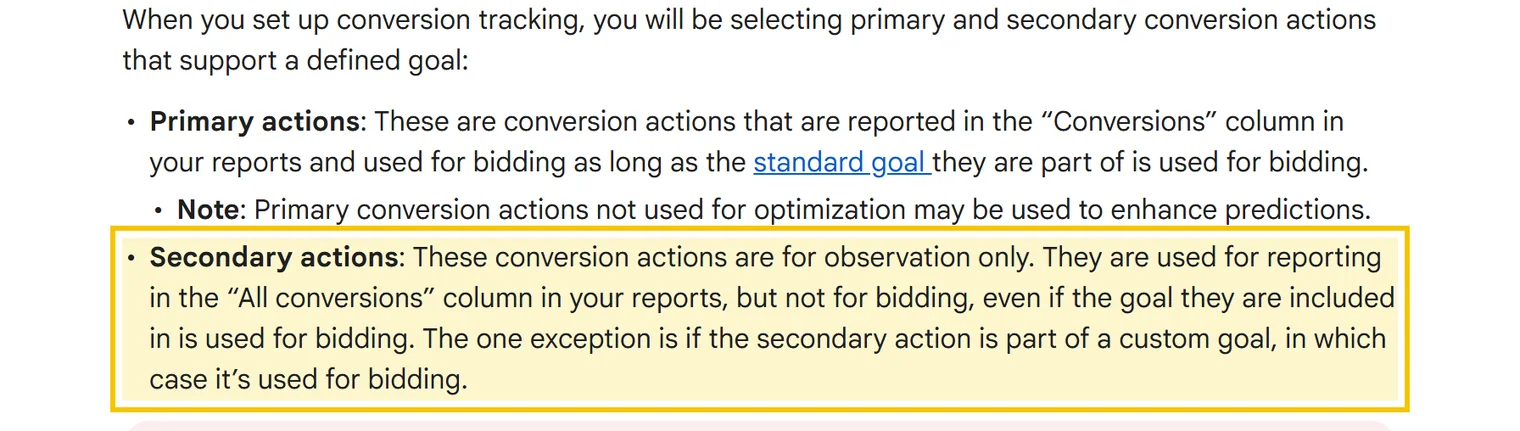
Our rule is simple. Only actions that represent real business value are primary. Newsletter sign-ups, brochure downloads and phone number clicks stay secondary. If an account has eight primary actions, the bidding is optimising towards an average of eight different goals, and usually towards the cheapest one.
Check the count setting as well. For leads, count one conversion per click, otherwise a person who sends the form three times looks like three leads. For purchases, count every conversion, because each order is real revenue.
Google tag or GA4 import
There are two common ways to get conversions into Google Ads. You can install the Google Ads conversion tag through the Google tag or Google Tag Manager, or you can import key events from Google Analytics 4.
Both work. The direct tag is the one Google Ads uses natively, and it reports quickly. GA4 import is convenient when the event already exists in Analytics, but it follows the attribution settings of your GA4 property and the data can arrive later.
The mistake is to use both for the same action and leave both as primary. The form gets counted once by the tag and once by the import, and every lead in the report is doubled. Pick one source for each action and make the other secondary or remove it.
Calls, forms and messaging apps
Calls need separate tracking, and in many service businesses they are most of the leads. Calls straight from an ad use a call asset with a Google forwarding number, and you set a minimum call length so that short misdials do not count. The default is 60 seconds, which suits most service businesses.
Calls from your website can be tracked with a forwarding number that replaces your number on the page for visitors who came from an ad. Forwarding numbers are only available in some countries, so check yours before you plan around them. Where they are not available, a click on the number on mobile is the fallback, and it should stay secondary.
A form conversion should fire only after a successful submission, not on the click of the submit button. WhatsApp and Telegram buttons are clicks, not conversations, so treat them like phone number clicks. If most of your clients write rather than call, the reliable way is to log the real leads in a CRM and send them back to Google Ads as offline conversions. Law firms are a good example, and we cover them on our PPC for law firms page.
Give conversions a value
If your leads are not all worth the same, give them values. A value can be fixed for each action, so a call can be worth more than a brochure request, or passed with the conversion, like the order total in an online store.
Values let you bid with Maximise conversion value or Target ROAS, which is what most stores need. For lead generation, values only help when they reflect how often each type of lead becomes a client. A guessed value is worse than none, because the algorithm trusts it.
Enhanced conversions
Enhanced conversions add hashed first-party data, usually an email address or phone number from the form, to the conversion. The data is hashed with SHA-256 before it is sent, and Google uses it to match conversions to signed-in users that cookies alone would miss.
The result is more conversions recorded and better data for bidding, especially on Safari and on mobile, where cookies expire quickly. For most lead generation accounts it takes an hour or two to set up and is worth doing.
Offline conversion import for B2B and law firms
When the sale happens weeks after the enquiry, a form fill is only the start. A legal enquiry might become a signed case or nothing at all. A B2B lead might take three months to close. If Google only sees the form, it treats a time-waster and a signed client as equal.
Offline conversion import fixes that. The website stores the click ID that Google adds to the landing page address, the CRM keeps it with the lead, and when the lead becomes a client you upload the conversion back to Google Ads, with a value if you have one. Google accepts uploads for clicks from the last 90 days.
Enhanced conversions for leads works on the same idea, using the hashed email or phone number instead of the click ID. Either way, the bidding starts learning from clients, not from enquiries.
Consent mode for visitors in Europe
If you advertise to users in the European Economic Area, the UK or Switzerland, Google requires consent to be collected and passed to its tags. Consent mode does that. In the advanced setup, when a visitor declines cookies, the tags send cookieless pings instead of full data, and Google uses modelling to estimate the conversions it cannot see directly. In the basic setup, the tags do not fire at all until the visitor agrees.
A cookie banner that ignores consent mode leaves you with gaps. Conversions drop in the report even though leads have not changed, and Smart Bidding reacts to the drop as if it were real. Check that your banner updates consent for Google, not just hides itself.
How to check that tracking is correct
Open Tag Assistant, submit a test enquiry on the live site and see which tags fire and when. Then check the conversion action in Google Ads. Its status should say it is recording conversions, and the test should appear within a few hours.
After that, compare the numbers with reality. Take last month's conversions in Google Ads and the leads that actually reached your inbox or CRM. They will never match exactly, but if Google shows sixty leads and your team remembers twenty, something is counting twice or counting the wrong thing.
The tracking mistakes we find most often
Double counting, usually the tag plus a GA4 import, or a thank-you page that fires again on refresh. Page views counted as leads, because the thank-you page can be reached without sending the form. A tag fired on the button click, so every failed or empty submission counts. And old test actions still set as primary, which Smart Bidding keeps optimising towards.
Every one of these makes the account look better than it is, which is why nobody rushes to fix them. We check all of them in our free Google Ads audit, and on pages we build ourselves the tracking goes in before launch. More on that in how we build landing pages.

Quick answers
Should I import conversions from GA4 or use the Google Ads tag?
Either works. Use one source per action, keep it primary and make the other secondary, otherwise every lead is counted twice.
How long should a call last to count as a conversion?
Google's default is 60 seconds. For most service businesses that filters out misdials and short questions while keeping real enquiries.
Is enhanced conversions worth setting up?
For most lead generation and ecommerce accounts, yes. It records conversions that cookies miss, especially on mobile, and the setup is short.
How far back can I upload offline conversions?
Google accepts conversions for clicks from the last 90 days, so upload signed clients regularly rather than once a quarter.
Why did my conversions drop after I added a cookie banner?
Usually because the banner does not pass consent to Google through consent mode. Without it, Google sees fewer conversions and cannot model the missing ones.
More from the blog
Google Ads Quality Score explained by former Google support
What Quality Score measures, where to find it, how it affects your cost per click and how to raise expected CTR, ad relevance and landing page experience.
Read the articleGoogle Ads account suspended? What actually gets accounts back
Why Google suspends ad accounts, how the appeal works, where advertiser verification goes wrong and what never to do after a suspension. From three years inside Google Ads support.
Read the articleWhat PPC means in marketing, and how it differs from SEO
Pay per click without jargon. How the Google auction works, what Quality Score changes and when paid search is the wrong channel for you.
Read the articleFind out whether your tracking tells the truth
Leave your details. We reply within 15 minutes during working hours and book 20 minutes to check your conversion setup with you.
No spam. One call and a specific list of fixes.